 Tamipo
AI Dance Generator & Meme Video Generator for TikTok Trends
An AI dance generator for TikTok trends. Pick a trend, add your photo, and get a short vertical video of you doing it. No filming, no editing, no app.
Pick a trend ↓Photo in, video out · 9:16 vertical MP4 · No watermark · From $6.99
Also new: Tiny Desk AI · Bicep Heart Trend
Trending AI dance and meme templates
Each template is one trend. Open it to watch the full example, then add your photo on that page.
How to make an AI dance or meme video
Three steps
 1
Pick a trend
Open a template and watch its example. That is the routine your video will follow.
Your photo
+ Choose a photo
2Add your photo
Each template says how many photos it needs and what kind. Use a photo of yourself or of someone who agreed, and only if everyone in it is 18 or older.
 3
Download the MP4
Pay once from $6.99. You get a vertical video with sound and no watermark, kept in My Creations for 30 days.
Which photo works best
The photo decides most of the result. The right kind depends on the template: the video can only copy what your photo shows of the body the move uses.
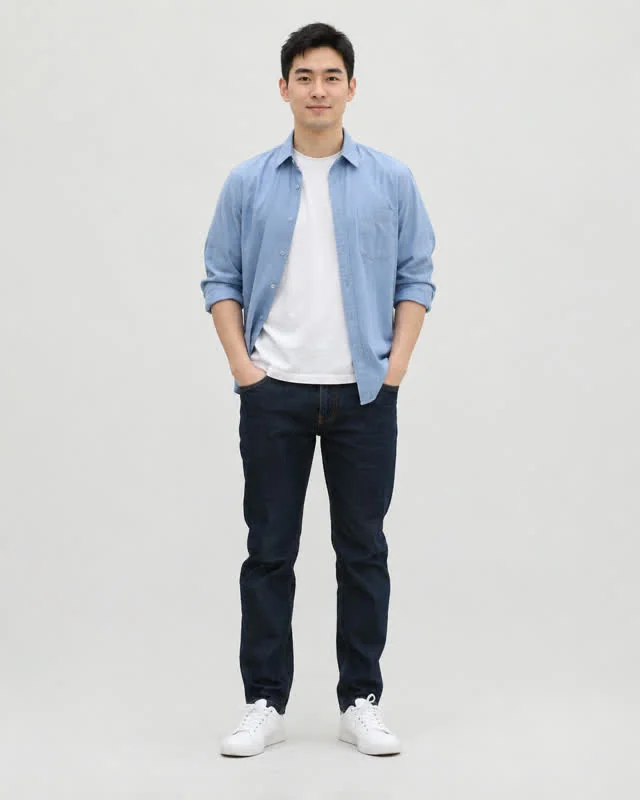
Head to feet: dances
For dances and other full-body moves: the video can keep your real outfit and shoes. A close-up selfie would leave the legs made up.

Upper body: arm poses
For poses that only show the arms, such as the bicep heart. Keep both arms in frame, in short sleeves. Each template page says which kind it needs.
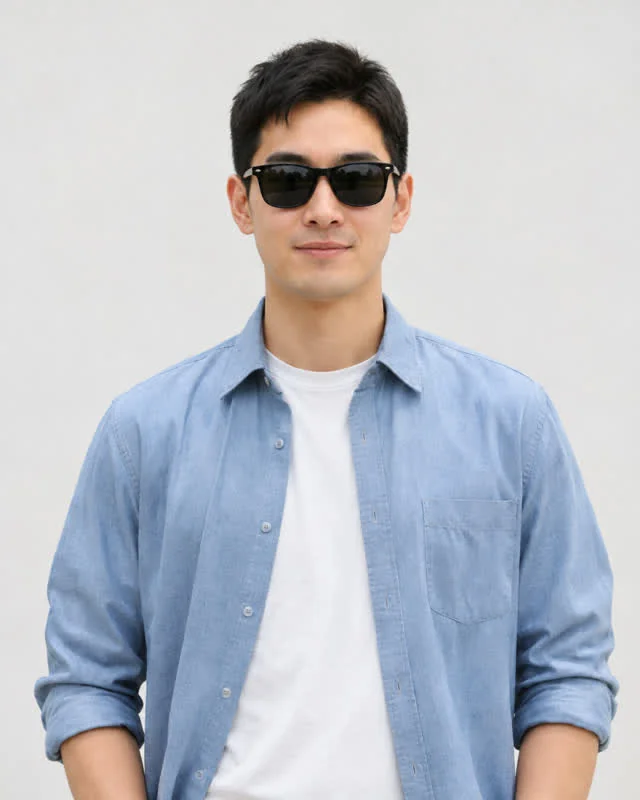
Sunglasses or filters
Hidden eyes and heavy filters make the face harder to keep.
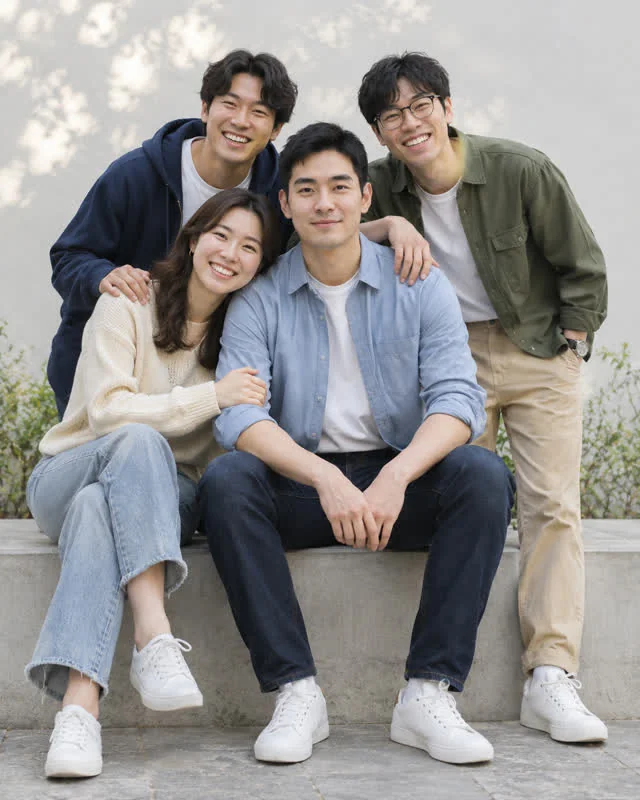
Group shots
Crop the photo down to a single person. A template with more people asks for a photo of each.
If your video looks off
Most problems trace back to the photo, so change that before anything else.
- The face does not look like you
- Use a sharper photo with your face lit from the front.
- The outfit looks different
- Use the kind of photo the template page asks for: head to feet for dances, upper body for arm poses. The model cannot copy clothes it cannot see.
- Arms or legs look strange
- Pick a photo where both arms and legs are clearly visible, not crossed or cut off by the frame.
- You want a different take
- Each run comes out a little different. Change the photo first, then make another one.
What a good result looks like
A good AI dance generator result keeps the face, hair and outfit from your photo and follows the moves of the example. Check the face first, then the body moves, then the timing against the music. If one part of your AI dance generator video is off, change only the photo and make another one, so you can see what made the difference.
What is an AI dance generator?
An AI dance generator turns a still photo of a person into a video of that person dancing. A video model moves the body frame by frame, so nobody has to film anything or learn the routine. An AI meme video generator does the same for meme formats, such as a reaction or a transition, instead of a dance.
Tamipo is an AI dance generator built on templates, not blank prompts. Each template copies one TikTok trend: the template fixes the moves, the camera and the music, and your photo supplies the face, hair and outfit. You choose a trend, not a list of settings. Because every video is generated fresh, two runs from the same photo come out a little different.
What people make with it
Most people use an AI dance generator to make a video of themselves to post while a trend is still hot, without learning the moves or filming take after take. Always present it as an AI-made video, not as real footage.
What every video includes
| Format | Vertical 9:16 MP4 |
|---|---|
| Length | Set by the template and shown on its card |
| Sound | Included. Each template page says what music it uses. |
| Watermark | None |
| Your photo | Deleted within 24 hours |
| Your video | Kept in My Creations for 30 days |
| If it fails | The credits go back to your balance |
Tamipo vs. editing apps vs. AI video tools
All three can get you a dance or meme video. They differ in how much work it takes.
| Editing-app templates | General AI video tools | Tamipo | |
|---|---|---|---|
| What you do | Follow a tutorial, place your photos, edit | Write a prompt, pick a model, try again | Pick a trend, add your photo |
| Matches the trend's moves | Only if you cut it that way | Depends on your prompt | Yes, the template fixes them |
| Cost | Usually free | Free tiers, credits or monthly plans | $6.99 per video, no subscription |
Your photo and your privacy
We use your photo only to make the video you ask for. It is deleted within 24 hours, and the finished video stays in My Creations for 30 days. Only upload a photo of yourself. The Privacy Policy explains how uploads and finished videos are stored.
AI dance videos vs. AI meme videos
Tamipo has two kinds of template. They work the same way, but they copy different things.
Dance templates
A dance template copies a routine: the steps, the arm moves and the timing to the music. It works best with a head-to-feet photo, so the video can keep your outfit and shoes. Use one when a choreography is going around and you want to post your own version while it is still hot.
Meme templates
A meme template copies a format: a reaction, a famous moment or a transition. The template fixes the camera, the setting and the timing, and your photo supplies the face. Each template page says what kind of photo it needs.
Right now Tamipo has 2 dance templates and 2 meme templates. We add meme formats as soon as one passes our test.
Not sure which to pick? Choose the trend you saw on your feed. Every example on this site is one we generated and checked second by second against the trend, and How we pick and test trends explains how. Missing a trend? Request it with the name, a TikTok link and a line about the moves.
Simple pricing
Every template costs the same. Buy once, no subscription, and credits come back if a video fails.
$6.99
780 credits
1 video. Valid 1 year. No watermark. Credits back if it fails.
- Popular
$16.99
2,340 credits
3 videos. Valid 1 year.
$24.99
3,900 credits
5 videos. Valid 1 year.
AI dance and meme video generator FAQ
How many videos can I make from the same photo?
As many as you have credits for. Each run uses 780 credits and comes out a little different, so some people make two and keep the better one.
Do I need to download an app?
No. This AI dance generator runs in the browser on your phone or computer. You sign in when you create a video.
Can I use a photo of someone else?
Only if they agreed. Upload a photo of yourself or of a friend who said yes, and only if everyone in it is 18 or older. Do not use photos of celebrities, strangers or children.
Can I use a pet, baby or cartoon picture?
Only if the template page says it works with one. Templates made for people need a photo of a real person who is 18 or older.
Can I post the video on TikTok, Reels or Shorts?
Yes. The AI dance generator gives you a standard vertical MP4, so you can upload it straight from your phone to any of them.
Is there a free trial?
No. Every video is paid, from $6.99 for one, and the credits go back to your balance if a video fails.
How long is each video?
Each template sets its own length. You can see it on the template card and in the comparison table on the Templates page.
How long does it take to make a video?
It takes a few minutes. You can close the tab while it runs, and the finished video waits in My Creations for 30 days. If it fails, the credits go back to your balance.
Do I need to film myself or upload a reference video?
No. A single photo of yourself is enough. The moves come from the template, so you do not need to film anything or edit a clip.
Can I edit the video afterwards?
Yes. It is a normal MP4, so you can trim it, add captions or swap the sound in any editor.
Is Tamipo affiliated with TikTok or the trend creators?
No. We are an independent tool and are not affiliated with, endorsed by or connected to TikTok, the original creators or anyone shown in a trend.
Pick a trend and make your first AI dance generator video.